Work highlight · Neo Financial
Card expiration handling
Handling expiring cards to cut costs and keep users active.

The brief
Issue
- The first users to sign up have card expirations coming up.
- No handling is in place for auto-shipping cards yet.
- Users don’t keep their addresses up to date, and the cost of card creation and shipping results in a loss of company funds.
Task
- Create states and handling for pre-autoship implementation.
- Create states and handling for post-autoship implementation.
- Design expired card states.
- Design shipped card states.
Desired result
- Fewer lost cards
- Fewer fraud cases
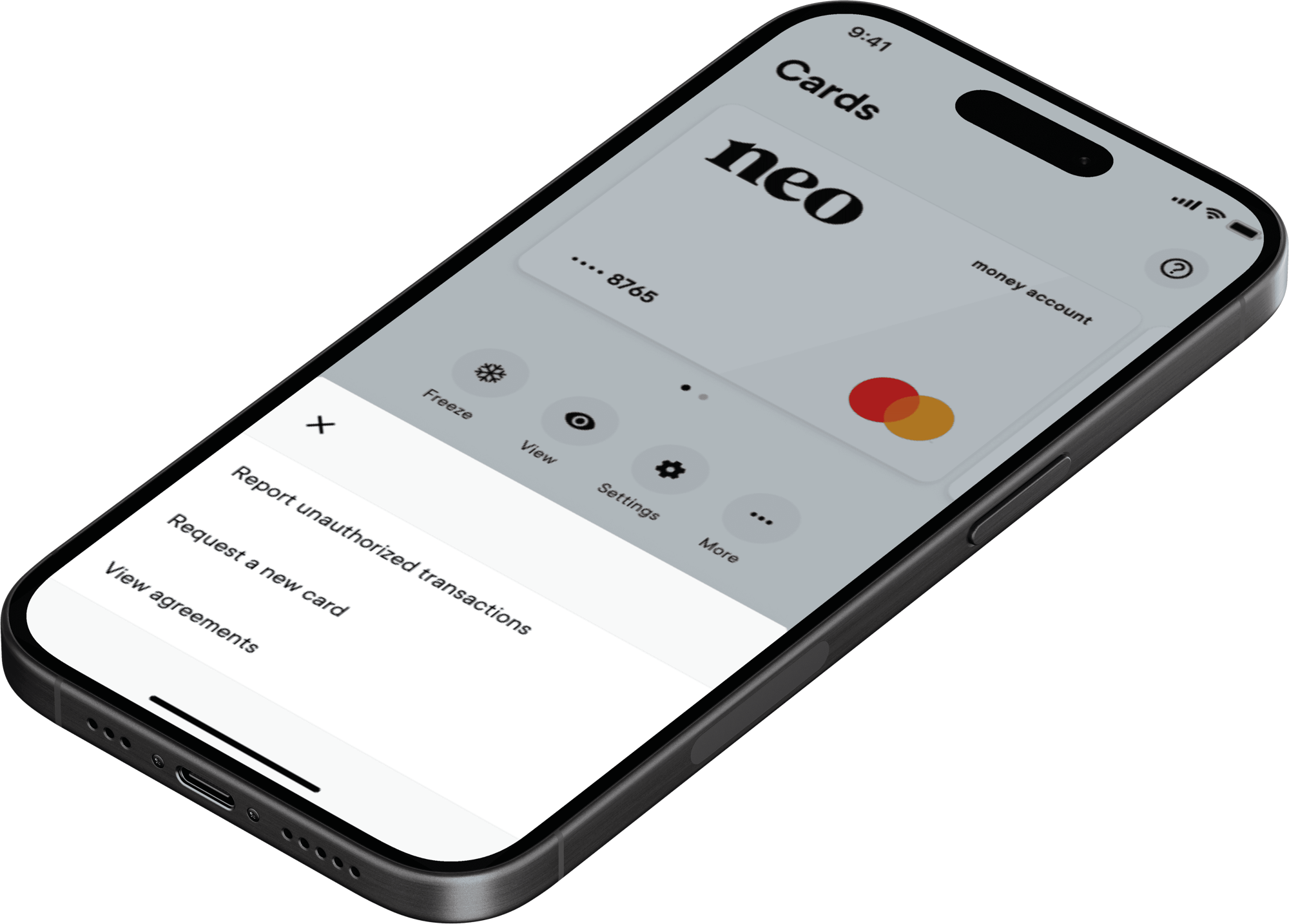
Request new card
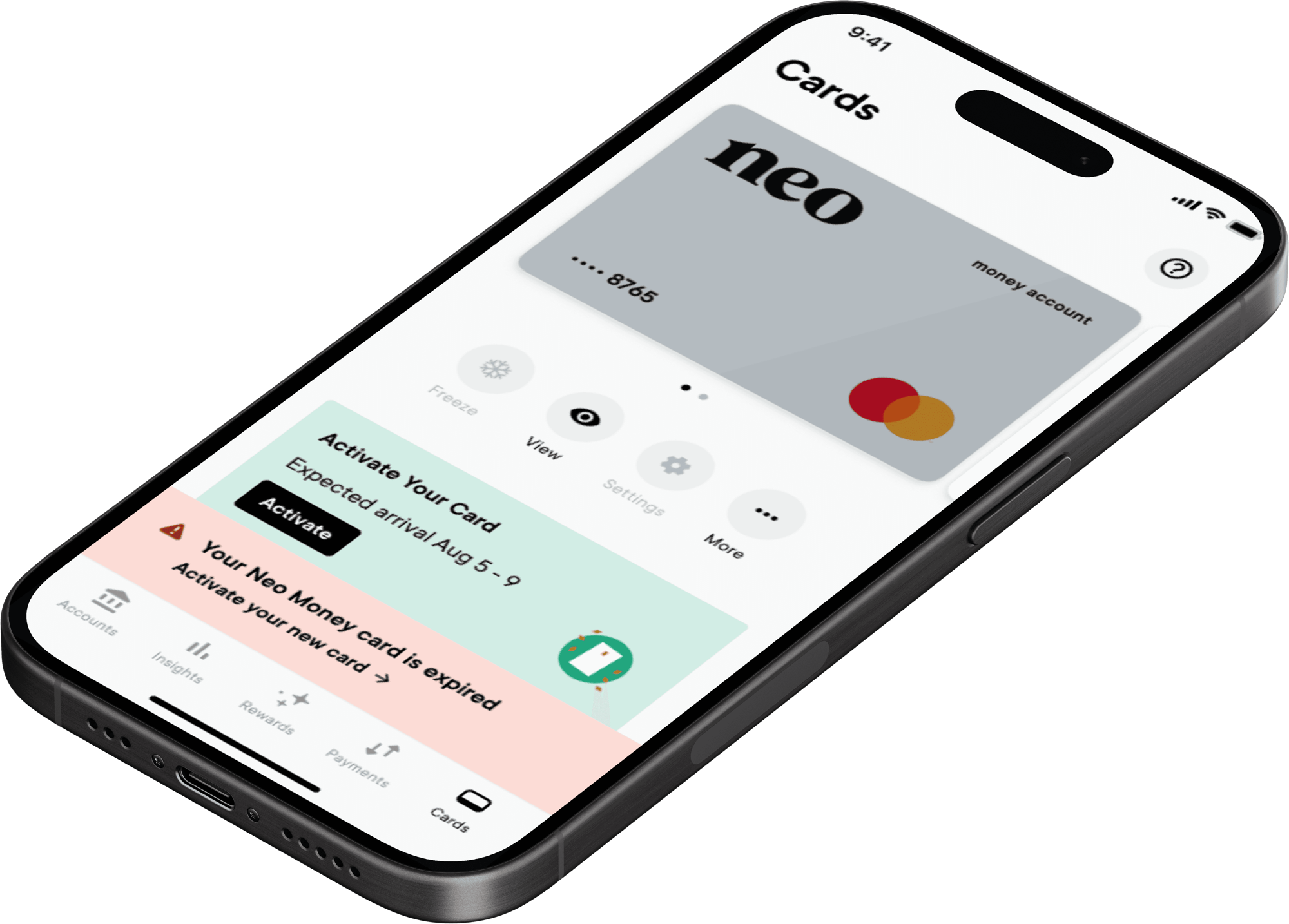
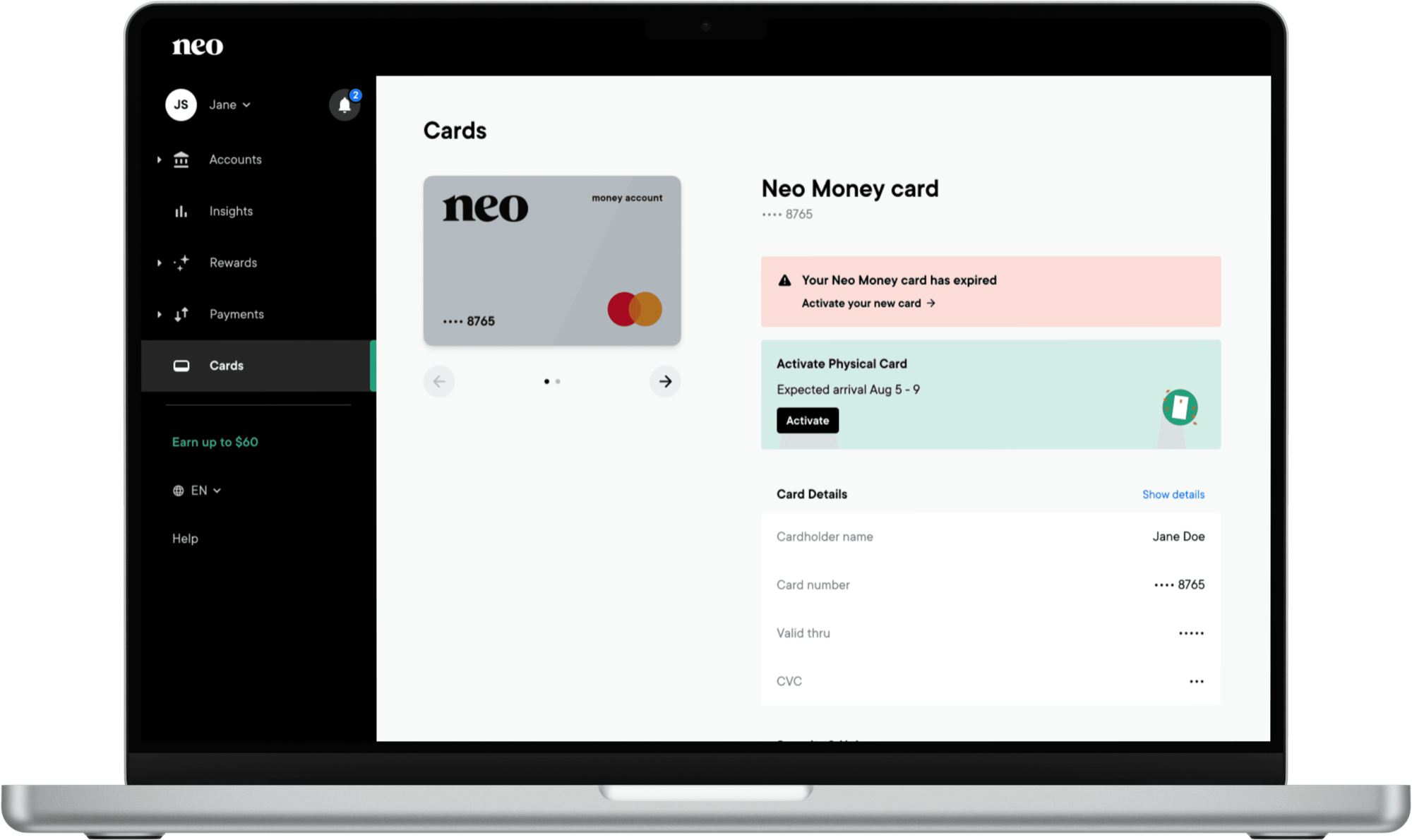
- A simple banner informs users of their card’s expiration state.
- To reduce potential fraud, the unfreeze option is disabled until the user activates the new card.
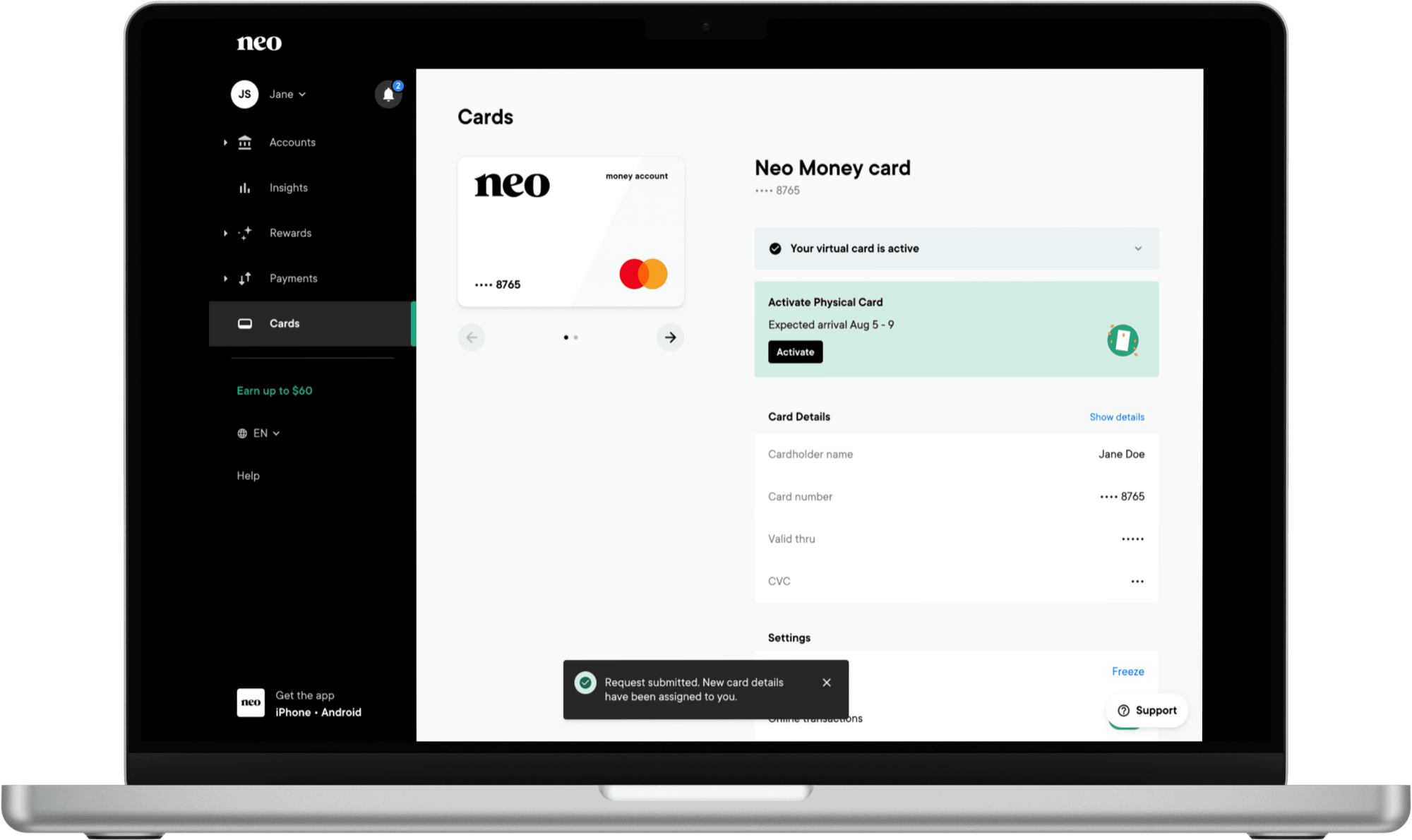
- Users can’t use virtual card capabilities while autoshipping is enabled. If a user requests a new card because theirs was lost or damaged, the virtual card is enabled, since a new card number is assigned.

Outcome
- An increase in users keeping their address up to date.
- Prevented a significant drop in active users.
- Reduced business costs from card manufacturing and shipping.
Read next